<?xml version="1.0" encoding="utf-8"?><feed xmlns="http://www.w3.org/2005/Atom" ><generator uri="https://jekyllrb.com/" version="4.3.4">Jekyll</generator><link href="http://egonw.github.io/blog/feed/by_tag/jchempaint.xml" rel="self" type="application/atom+xml" /><link href="http://egonw.github.io/blog/" rel="alternate" type="text/html" /><updated>2026-11-19T06:09:00+00:00</updated><id>http://egonw.github.io/blog/feed/by_tag/jchempaint.xml</id><title type="html">chem-bla-ics</title><subtitle>Chemblaics (pronounced chem-bla-ics) is the science that uses open science and computers to solve problems in chemistry, biochemistry and related fields.</subtitle><author><name>Egon Willighagen</name></author><entry><title type="html">Bioclipse upgraded to CDK 1.3.8 and CDK-JChemPaint 17: builds broken</title><link href="http://egonw.github.io/blog/2011/02/13/bioclipse-upgraded-to-cdk-138-and-cdk.html" rel="alternate" type="text/html" title="Bioclipse upgraded to CDK 1.3.8 and CDK-JChemPaint 17: builds broken" /><published>2011-02-13T00:00:00+00:00</published><updated>2011-02-13T00:00:00+00:00</updated><id>http://egonw.github.io/blog/2011/02/13/bioclipse-upgraded-to-cdk-138-and-cdk</id><content type="html" xml:base="http://egonw.github.io/blog/2011/02/13/bioclipse-upgraded-to-cdk-138-and-cdk.html"><![CDATA[<p>Yesterday I did some boring plumbing: I upgraded our GC/MS machines with new
hardware. Well, the cheminformatics equivalent of it anyway. I upgraded the
<a href="http://bioclipse.net">Bioclipse</a> bundles in org.openscience.cdk for <a href="https://sourceforge.net/projects/cdk/files/cdk%20%28development%29/1.3.8/">CDK 1.3.8</a>
and <a href="https://sourceforge.net/projects/cdk/files/CDK-JChemPaint/17/">CDK-JChemPaint 17</a>.
This is typically a painful process, and now even more because a lot is changing
with how Bioclipse is build, which is with <a href="http://www.eclipse.org/buckminster/">Buckminster</a>
on <a href="http://hudson.bioclipse.net">Bioclipse’ Hudson server</a>. I am happy that
Arvid is doing the digging into Buckminster, as automatic building of Eclipse-RCP
tools is straightforward. Each part is describes by, seemingly, at least five
configurations files. For each plugin we have plugin dependencies, plugins are
wrapped into features, where you can get dependencies wrong too, and update
sites, which need to be in shape too. And on the Buckminster-side there are
.rmap and .cquery files pointing to the right git repositories, each of which
you can get wrong too.</p>

<p>Well, and I got them wrong. A few things had to happen. First of all, I had
to revert the <a href="jni-inchi.sf.net">JNI-InChI</a> library to a plugin, as I have no
experience with making <a href="http://en.wikipedia.org/wiki/OSGi">OSGi bundles</a> out
of random jars (there is this <a href="http://www.aqute.biz/Code/Bnd">bnd</a> tool which
exists for that task, but never used it before). But, the upgrade brought in
version 0.7 which should solve the InChI library loading issue, as well as bring
InChI to various more platforms. So, the JNI-InChI jar was pulled from the target
platform, and the rebuild worked out of the box.</p>

<p>The second thing I did was upgrade the <a href="https://github.com/bioclipse/org.openscience.cdk/">org.openscience.cdk</a>
bundles. This repository had three branches, <a href="https://github.com/goglepox/org.openscience.cdk">one</a>
for pure CDK, now updated to CDK 1.3.8, a <a href="https://github.com/goglepox/org.openscience.cdk/tree/cdk-jchempaint">CDK-JChemPaint branch</a>
updated to version 17, and a <a href="https://github.com/goglepox/org.openscience.cdk/tree/bioclipse2.4">bioclipse2.4</a>
branch for Bioclipse 2.x (we now and then patch things to make it work, so that
we do not have to wait for them to be applied upstream, with the CDK itself).
I thought it would be good to create a separate bioclipse2.6 branch for Bioclipse
master, but that was a mistake. This branch information is scattered over the
.rmap and .cquery files, and they are not all in one single git repository,
and those that are, are not synchronized with the versions on Hudson either.
It’s normal in prototyping, but not helping me. After a couple of hours fiddling,
I got <a href="http://pele.farmbio.uu.se/hudson/job/org.openscience.cdk/">this one compiling too</a>.</p>

<p>Right now, I’m stuck with getting <a href="http://pele.farmbio.uu.se/hudson/job/Bioclipse.chemoinformatics/">bioclipse.cheminformatics</a>
compiling again, and looking for ERRORs in an <a href="http://pele.farmbio.uu.se/hudson/job/Bioclipse.chemoinformatics/41/consoleText">enormous log file</a>.
If only ERROR messages were a bit more descriptive, something like “Hej, you
said to look for org.openscience.cdk.sinchi in file foo.bar, but I cannot find
it anywhere.”, then I’d have some clue where to look.</p>

<p>That makes me wonder if anyone actually ever wrote up best practices for error
messages…</p>

<p>BTW, I also still have another, independent dependency issue to solve: the one
for <a href="http://code.google.com/p/guava-libraries/">Google’s Guava</a>, so that everyone
can play with the <a href="http://chem-bla-ics.blogspot.com/2011/02/accessing-google-spreadsheets-from.html">Bioclipse-Google interaction</a>.</p>]]></content><author><name>Egon Willighagen</name></author><category term="bioclipse" /><category term="cdk" /><category term="jchempaint" /><summary type="html"><![CDATA[Yesterday I did some boring plumbing: I upgraded our GC/MS machines with new hardware. Well, the cheminformatics equivalent of it anyway. I upgraded the Bioclipse bundles in org.openscience.cdk for CDK 1.3.8 and CDK-JChemPaint 17. This is typically a painful process, and now even more because a lot is changing with how Bioclipse is build, which is with Buckminster on Bioclipse’ Hudson server. I am happy that Arvid is doing the digging into Buckminster, as automatic building of Eclipse-RCP tools is straightforward. Each part is describes by, seemingly, at least five configurations files. For each plugin we have plugin dependencies, plugins are wrapped into features, where you can get dependencies wrong too, and update sites, which need to be in shape too. And on the Buckminster-side there are .rmap and .cquery files pointing to the right git repositories, each of which you can get wrong too.]]></summary></entry><entry><title type="html">The 100th CDK 2003 paper</title><link href="http://egonw.github.io/blog/2010/10/08/100th-cdk-2003-paper.html" rel="alternate" type="text/html" title="The 100th CDK 2003 paper" /><published>2010-10-08T00:00:00+00:00</published><updated>2010-10-08T00:00:00+00:00</updated><id>http://egonw.github.io/blog/2010/10/08/100th-cdk-2003-paper</id><content type="html" xml:base="http://egonw.github.io/blog/2010/10/08/100th-cdk-2003-paper.html"><![CDATA[<p>We got a winner! Crabtree just published the paper <em>An Open-Source Java Platform
for Automated Reaction Mapping</em> (doi:<a href="http://dx.doi.org/10.1021/ci100061d">10.1021/ci100061d</a>),
and is, according to Web of Science, the 100th paper to cite the CDK 2003 paper
(doi:<a href="http://dx.doi.org/10.1021/ci025584y">10.1021/ci025584y</a>)!</p>

<p><img src="/blog/assets/images/cdk100.png" alt="" /></p>

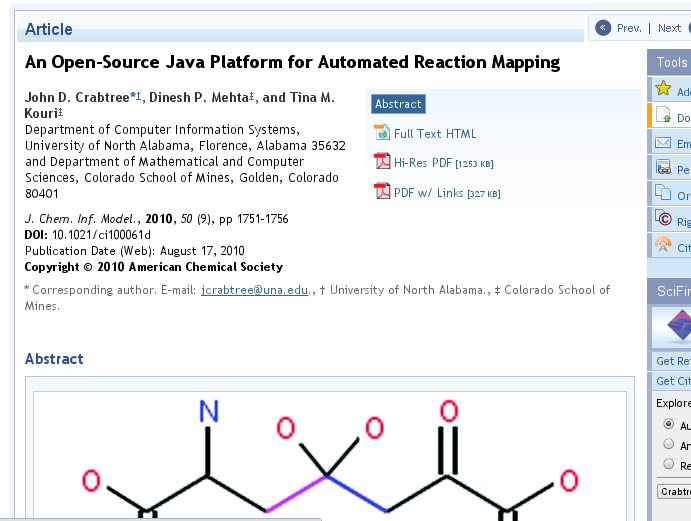
<p>The paper uses the rendering functionality of the CDK. The authors write:</p>

<blockquote>
  <p>The viewer application uses code from the Chemistry Development Kit (31) (CDK) to display graphical representations
of the compounds involved in the reactions. The CDK source code was altered to enable the color-coded display of
the bonds that were broken or formed during the reaction as shown in Figure 7. In addition, we created a “transition
state” molecule that shows the transitory combination of reactant molecules that occurs at a potential energy
maximum. The CDK source code was also modified to support the display of the transition state.</p>
</blockquote>

<p>The source code is, as the title promises, open source, and available from the
<a href="https://sourceforge.net/projects/armsrc/">armsrc project on SourceForge</a>.</p>]]></content><author><name>Egon Willighagen</name></author><category term="cdk" /><category term="jchempaint" /><category term="doi:10.1021/CI025584Y" /><category term="justdoi:10.1021/ci100061d" /><summary type="html"><![CDATA[We got a winner! Crabtree just published the paper An Open-Source Java Platform for Automated Reaction Mapping (doi:10.1021/ci100061d), and is, according to Web of Science, the 100th paper to cite the CDK 2003 paper (doi:10.1021/ci025584y)!]]></summary><media:thumbnail xmlns:media="http://search.yahoo.com/mrss/" url="http://egonw.github.io/blog/blog/assets/images/cdk100.png" /><media:content medium="image" url="http://egonw.github.io/blog/blog/assets/images/cdk100.png" xmlns:media="http://search.yahoo.com/mrss/" /></entry><entry><title type="html">CDK-JChemPaint #5: the Groovy-JChemPaint repository</title><link href="http://egonw.github.io/blog/2010/04/18/cdk-jchempaint-5-groovy-jchempaint.html" rel="alternate" type="text/html" title="CDK-JChemPaint #5: the Groovy-JChemPaint repository" /><published>2010-04-18T00:20:00+00:00</published><updated>2010-04-18T00:20:00+00:00</updated><id>http://egonw.github.io/blog/2010/04/18/cdk-jchempaint-5-groovy-jchempaint</id><content type="html" xml:base="http://egonw.github.io/blog/2010/04/18/cdk-jchempaint-5-groovy-jchempaint.html"><![CDATA[<p>Oh, I forget to mention just earlier that I have set up a small <a href="http://github.com/egonw/groovy-jcp">git repository with the full Groovy demo scripts</a>.
Additionally, requests on further tutorials and/or bug reports can be filed in the
<a href="http://github.com/egonw/groovy-jcp/issues">matching Issues tracker</a>.</p>

<p><img src="/blog/assets/images/groovyJCPrepos.png" alt="" /></p>]]></content><author><name>Egon Willighagen</name></author><category term="cdk" /><category term="jchempaint" /><category term="groovy" /><category term="git" /><summary type="html"><![CDATA[Oh, I forget to mention just earlier that I have set up a small git repository with the full Groovy demo scripts. Additionally, requests on further tutorials and/or bug reports can be filed in the matching Issues tracker.]]></summary><media:thumbnail xmlns:media="http://search.yahoo.com/mrss/" url="http://egonw.github.io/blog/blog/assets/images/groovyJCPrepos.png" /><media:content medium="image" url="http://egonw.github.io/blog/blog/assets/images/groovyJCPrepos.png" xmlns:media="http://search.yahoo.com/mrss/" /></entry><entry><title type="html">CDK-JChemPaint #4: embedding the renderer into a Swing panel</title><link href="http://egonw.github.io/blog/2010/04/18/cdk-jchempaint-4-embedding-renderer.html" rel="alternate" type="text/html" title="CDK-JChemPaint #4: embedding the renderer into a Swing panel" /><published>2010-04-18T00:10:00+00:00</published><updated>2010-04-18T00:10:00+00:00</updated><id>http://egonw.github.io/blog/2010/04/18/cdk-jchempaint-4-embedding-renderer</id><content type="html" xml:base="http://egonw.github.io/blog/2010/04/18/cdk-jchempaint-4-embedding-renderer.html"><![CDATA[<p>Now that we covered the utmost basics of using the CDK-JChemPaint patch (see
<a href="http://chem-bla-ics.blogspot.com/2010/04/cdk-jchempaint-1-rendering-molecules.html">#1</a>,
<a href="http://chem-bla-ics.blogspot.com/2010/04/cdk-jchempaint-2-rendering-reactions.html">#2</a>,
<a href="http://chem-bla-ics.blogspot.com/2010/04/cdk-jchempaint-3-rendering-parameters.html">#3</a>),
it is time to move on. I am happy to hear that so many people have started using the new rendering architecture, either
via the EBI JChemPaint Swing applet/application branch, or via the CDK-JChemPaint patch.</p>

<p>A couple of issues and questions came up (scaling not working as expected; how to layout reactions; how to get charges
to show up), and I will look at those shortly. But before I get into those matters, I’ll first show how to use the renderer
with a <a href="http://java.sun.com/j2se/1.4.2/docs/api/javax/swing/JPanel.html">Swing JPanel</a>
(I’ll do the SWT alternative later). First, we need to subclass the JPanel:</p>

<div class="language-java highlighter-rouge"><div class="highlight"><pre class="highlight"><code><span class="kd">class</span> <span class="nc">JCPPanel</span> <span class="kd">extends</span> <span class="nc">JPanel</span> <span class="o">{</span>

  <span class="nc">IMolecule</span> <span class="n">mol</span><span class="o">;</span>
  <span class="nc">AtomContainerRenderer</span> <span class="n">renderer</span><span class="o">;</span>
  <span class="kt">int</span> <span class="n">width</span><span class="o">;</span>
  <span class="kt">int</span> <span class="n">height</span><span class="o">;</span>

  <span class="kd">public</span> <span class="nf">JCPPanel</span><span class="o">(</span><span class="nc">IMolecule</span> <span class="n">mol</span><span class="o">,</span> <span class="kt">int</span> <span class="n">width</span><span class="o">,</span> <span class="kt">int</span> <span class="n">height</span><span class="o">)</span> <span class="o">{</span>
    <span class="kd">super</span><span class="o">();</span>
    <span class="k">this</span><span class="o">.</span><span class="na">setSize</span><span class="o">(</span><span class="n">width</span><span class="o">,</span> <span class="n">height</span><span class="o">);</span>
    <span class="k">this</span><span class="o">.</span><span class="na">mol</span> <span class="o">=</span> <span class="n">mol</span><span class="o">;</span>
    <span class="k">this</span><span class="o">.</span><span class="na">width</span> <span class="o">=</span> <span class="n">width</span><span class="o">;</span>
    <span class="k">this</span><span class="o">.</span><span class="na">height</span> <span class="o">=</span> <span class="n">height</span><span class="o">;</span>

    <span class="c1">// generators make the image elements</span>
    <span class="nc">List</span> <span class="n">generators</span> <span class="o">=</span> <span class="k">new</span> <span class="nc">ArrayList</span><span class="o">();</span>
    <span class="n">generators</span><span class="o">.</span><span class="na">add</span><span class="o">(</span><span class="k">new</span> <span class="nc">BasicSceneGenerator</span><span class="o">());</span>
    <span class="n">generators</span><span class="o">.</span><span class="na">add</span><span class="o">(</span><span class="k">new</span> <span class="nc">BasicBondGenerator</span><span class="o">());</span>
    <span class="n">generators</span><span class="o">.</span><span class="na">add</span><span class="o">(</span><span class="k">new</span> <span class="nc">BasicAtomGenerator</span><span class="o">());</span>

    <span class="c1">// the renderer needs to have a toolkit-specific font manager</span>
    <span class="n">renderer</span> <span class="o">=</span> <span class="k">new</span> <span class="nc">AtomContainerRenderer</span><span class="o">(</span>
      <span class="n">generators</span><span class="o">,</span> <span class="k">new</span> <span class="nc">AWTFontManager</span><span class="o">()</span>
    <span class="o">);</span>
  <span class="o">}</span>

  <span class="kd">public</span> <span class="nc">Dimension</span> <span class="nf">getPreferredSize</span><span class="o">()</span> <span class="o">{</span>
    <span class="k">return</span> <span class="k">new</span> <span class="nf">Dimension</span><span class="o">(</span><span class="n">width</span><span class="o">,</span> <span class="n">height</span><span class="o">);</span>
  <span class="o">}</span>

  <span class="kd">public</span> <span class="kt">void</span> <span class="nf">paint</span><span class="o">(</span><span class="nc">Graphics</span> <span class="n">graphics</span><span class="o">)</span> <span class="o">{</span>
    <span class="c1">// the call to 'setup' only needs to be done on the first paint</span>
    <span class="n">renderer</span><span class="o">.</span><span class="na">setup</span><span class="o">(</span><span class="n">mol</span><span class="o">,</span> <span class="k">new</span> <span class="nc">Rectangle</span><span class="o">(</span><span class="n">getWidth</span><span class="o">(),</span> <span class="n">getHeight</span><span class="o">()));</span>

    <span class="c1">// paint the background</span>
    <span class="n">graphics</span><span class="o">.</span><span class="na">setColor</span><span class="o">(</span><span class="nc">Color</span><span class="o">.</span><span class="na">WHITE</span><span class="o">);</span>
    <span class="n">graphics</span><span class="o">.</span><span class="na">fillRect</span><span class="o">(</span><span class="mi">0</span><span class="o">,</span> <span class="mi">0</span><span class="o">,</span> <span class="n">getWidth</span><span class="o">(),</span> <span class="n">getHeight</span><span class="o">());</span>

    <span class="c1">// the paint method also needs a toolkit-specific renderer</span>
    <span class="n">renderer</span><span class="o">.</span><span class="na">paint</span><span class="o">(</span><span class="n">mol</span><span class="o">,</span> <span class="k">new</span> <span class="nc">AWTDrawVisitor</span><span class="o">(</span><span class="n">graphics</span><span class="o">));</span>
  <span class="o">}</span>

<span class="o">}</span>
</code></pre></div></div>

<p>The panel does not implement resizing, and it could consider caching the image too, to speed things up a bit. But, we’ll use this as a starting point.</p>

<p>We can then embed this panel into a JFrame to make a small runable application:</p>

<div class="language-java highlighter-rouge"><div class="highlight"><pre class="highlight"><code><span class="kt">int</span> <span class="no">WIDTH</span> <span class="o">=</span> <span class="mi">600</span><span class="o">;</span>
<span class="kt">int</span> <span class="no">HEIGHT</span> <span class="o">=</span> <span class="mi">600</span><span class="o">;</span>

<span class="c1">// create molecule</span>
<span class="nc">IMolecule</span> <span class="n">triazole</span> <span class="o">=</span> <span class="nc">MoleculeFactory</span><span class="o">.</span><span class="na">make123Triazole</span><span class="o">();</span>
<span class="nc">StructureDiagramGenerator</span> <span class="n">sdg</span> <span class="o">=</span> <span class="k">new</span> <span class="nc">StructureDiagramGenerator</span><span class="o">();</span>
<span class="n">sdg</span><span class="o">.</span><span class="na">setMolecule</span><span class="o">(</span><span class="n">triazole</span><span class="o">);</span>
<span class="n">sdg</span><span class="o">.</span><span class="na">generateCoordinates</span><span class="o">();</span>
<span class="n">triazole</span> <span class="o">=</span> <span class="n">sdg</span><span class="o">.</span><span class="na">getMolecule</span><span class="o">();</span>

<span class="c1">// create the frame</span>
<span class="nc">JFrame</span> <span class="n">frame</span> <span class="o">=</span> <span class="k">new</span> <span class="nc">JFrame</span><span class="o">(</span><span class="s">"Swinging CDK-JChemPaint"</span><span class="o">);</span>
<span class="n">frame</span><span class="o">.</span><span class="na">setDefaultCloseOperation</span><span class="o">(</span><span class="nc">JFrame</span><span class="o">.</span><span class="na">EXIT_ON_CLOSE</span><span class="o">);</span>

<span class="nc">JCPPanel</span> <span class="n">panel</span> <span class="o">=</span> <span class="k">new</span> <span class="nc">JCPPanel</span><span class="o">(</span><span class="n">triazole</span><span class="o">,</span> <span class="no">WIDTH</span><span class="o">,</span> <span class="no">HEIGHT</span><span class="o">);</span>
<span class="n">frame</span><span class="o">.</span><span class="na">getContentPane</span><span class="o">().</span><span class="na">add</span><span class="o">(</span><span class="n">panel</span><span class="o">);</span>

<span class="n">frame</span><span class="o">.</span><span class="na">pack</span><span class="o">();</span>
<span class="n">frame</span><span class="o">.</span><span class="na">setVisible</span><span class="o">(</span><span class="kc">true</span><span class="o">);</span>
</code></pre></div></div>

<p>The result is pretty much the same as with the created PNG, just with a window. But, this should get you started with using the new code base in your
Swing-based application. If you need an impression on where this can get you, have a look at the
<a href="http://www.ebi.ac.uk/steinbeck-srv/jchempaint-nightly/EditorApplet.html">applet developed by Chris’ team</a>. Likewise, a SWT-based application can be
developed, of which <a href="http://wiki.bioclipse.net/index.php?title=JChemPaint">Bioclipse</a> is a full example. This shows one of the features of this
new JChemPaint code base: it is widget set-independent. I am not aware of applications using other widget toolkits yet, though, but I am still
hoping someone will use <a href="http://qt.nokia.com/doc/qtjambi-4.4/html/com/trolltech/qt/qtjambi-index.html">QtJambi</a> to create a Qt-based JChemPaint port.</p>]]></content><author><name>Egon Willighagen</name></author><category term="cdk" /><category term="jchempaint" /><summary type="html"><![CDATA[Now that we covered the utmost basics of using the CDK-JChemPaint patch (see #1, #2, #3), it is time to move on. I am happy to hear that so many people have started using the new rendering architecture, either via the EBI JChemPaint Swing applet/application branch, or via the CDK-JChemPaint patch.]]></summary></entry><entry><title type="html">CDK-JChemPaint #3: rendering parameters</title><link href="http://egonw.github.io/blog/2010/04/05/cdk-jchempaint-3-rendering-parameters.html" rel="alternate" type="text/html" title="CDK-JChemPaint #3: rendering parameters" /><published>2010-04-05T02:00:00+00:00</published><updated>2010-04-05T02:00:00+00:00</updated><id>http://egonw.github.io/blog/2010/04/05/cdk-jchempaint-3-rendering-parameters</id><content type="html" xml:base="http://egonw.github.io/blog/2010/04/05/cdk-jchempaint-3-rendering-parameters.html"><![CDATA[<p>OK, one last CDK-JChemPaint tutorial for today (see <a href="http://chem-bla-ics.blogspot.com/2010/04/cdk-jchempaint-1-rendering-molecules.html">#1</a> and
<a href="http://chem-bla-ics.blogspot.com/2010/04/cdk-jchempaint-2-rendering-reactions.html">#2</a>). Rendering wasn’t as much fun, if you could not tune it
to your needs. JChemPaint has long had many rendering parameters, and one by one we are converting them to the new API. The following code is an
modification to the first example, and adds some code to list all rendering parameters for the three used generators:</p>

<div class="language-java highlighter-rouge"><div class="highlight"><pre class="highlight"><code><span class="c1">// generators make the image elements</span>
<span class="nc">List</span> <span class="n">generators</span> <span class="o">=</span> <span class="k">new</span> <span class="nc">ArrayList</span><span class="o">();</span>
<span class="n">generators</span><span class="o">.</span><span class="na">add</span><span class="o">(</span><span class="k">new</span> <span class="nc">BasicSceneGenerator</span><span class="o">());</span>
<span class="n">generators</span><span class="o">.</span><span class="na">add</span><span class="o">(</span><span class="k">new</span> <span class="nc">BasicBondGenerator</span><span class="o">());</span>
<span class="n">generators</span><span class="o">.</span><span class="na">add</span><span class="o">(</span><span class="k">new</span> <span class="nc">BasicAtomGenerator</span><span class="o">());</span>

<span class="c1">// the renderer needs to have a toolkit-specific font manager</span>
<span class="nc">IRenderer</span> <span class="n">renderer</span> <span class="o">=</span> <span class="k">new</span> <span class="nc">AtomContainerRenderer</span><span class="o">(</span>
  <span class="n">generators</span><span class="o">,</span> <span class="k">new</span> <span class="nc">AWTFontManager</span><span class="o">()</span>
<span class="o">);</span>

<span class="c1">// dump all parameters</span>
<span class="k">for</span> <span class="o">(</span><span class="nc">IGenerator</span> <span class="n">generator</span> <span class="o">:</span> <span class="n">renderer</span><span class="o">.</span><span class="na">getGenerators</span><span class="o">())</span> <span class="o">{</span>
  <span class="k">for</span> <span class="o">(</span><span class="nc">IGeneratorParameter</span> <span class="n">parameter</span> <span class="o">:</span> <span class="n">generator</span><span class="o">.</span><span class="na">getParameters</span><span class="o">())</span> <span class="o">{</span>
    <span class="n">println</span> <span class="s">"parameter: "</span> <span class="o">+</span>
      <span class="n">parameter</span><span class="o">.</span><span class="na">getClass</span><span class="o">().</span><span class="na">getName</span><span class="o">().</span><span class="na">substring</span><span class="o">(</span><span class="mi">40</span><span class="o">)</span> <span class="o">+</span>
      <span class="s">" -&gt; "</span> <span class="o">+</span>
      <span class="n">parameter</span><span class="o">.</span><span class="na">getValue</span><span class="o">();</span>
  <span class="o">}</span>
<span class="o">}</span>
</code></pre></div></div>

<p>The output will look something like:</p>

<div class="language-plaintext highlighter-rouge"><div class="highlight"><pre class="highlight"><code>parameter: BasicSceneGenerator$BackGroundColor -&gt; java.awt.Color[r=255,g=255,b=255]
parameter: BasicSceneGenerator$Margin -&gt; 10.0
parameter: BasicSceneGenerator$UseAntiAliasing -&gt; true
parameter: BasicSceneGenerator$UsedFontStyle -&gt; NORMAL
parameter: BasicSceneGenerator$FontName -&gt; Arial
parameter: BasicBondGenerator$BondWidth -&gt; 1.0
parameter: BasicBondGenerator$DefaultBondColor -&gt; java.awt.Color[r=0,g=0,b=0]
parameter: BasicAtomGenerator$AtomColor -&gt; java.awt.Color[r=0,g=0,b=0]
parameter: BasicAtomGenerator$AtomColorer -&gt; org.openscience.cdk.renderer.color.CDK2DAtomColors@49aacd5f
parameter: BasicAtomGenerator$AtomRadius -&gt; 8.0
parameter: BasicAtomGenerator$ColorByType -&gt; true
parameter: BasicAtomGenerator$CompactShape -&gt; SQUARE
parameter: BasicAtomGenerator$CompactAtom -&gt; false
parameter: BasicAtomGenerator$KekuleStructure -&gt; false
parameter: BasicAtomGenerator$ShowEndCarbons -&gt; false
</code></pre></div></div>]]></content><author><name>Egon Willighagen</name></author><category term="cdk" /><category term="jchempaint" /><summary type="html"><![CDATA[OK, one last CDK-JChemPaint tutorial for today (see #1 and #2). Rendering wasn’t as much fun, if you could not tune it to your needs. JChemPaint has long had many rendering parameters, and one by one we are converting them to the new API. The following code is an modification to the first example, and adds some code to list all rendering parameters for the three used generators:]]></summary></entry><entry><title type="html">CDK-JChemPaint #2: rendering reactions</title><link href="http://egonw.github.io/blog/2010/04/05/cdk-jchempaint-2-rendering-reactions.html" rel="alternate" type="text/html" title="CDK-JChemPaint #2: rendering reactions" /><published>2010-04-05T00:10:00+00:00</published><updated>2010-04-05T00:10:00+00:00</updated><id>http://egonw.github.io/blog/2010/04/05/cdk-jchempaint-2-rendering-reactions</id><content type="html" xml:base="http://egonw.github.io/blog/2010/04/05/cdk-jchempaint-2-rendering-reactions.html"><![CDATA[<p>I posted earlier today <a href="http://chem-bla-ics.blogspot.com/2010/04/cdk-jchempaint-1-rendering-molecules.html">a Groovy script to render molecules</a>
with CDK-JChemPaint 8. Now, the new JChemPaint rendering engine also contains the functionality to render reactions. So, I can also do:</p>

<div class="language-shell highlighter-rouge"><div class="highlight"><pre class="highlight"><code><span class="nv">$ </span>groovy renderReaction.groovy
</code></pre></div></div>

<p><img src="/blog/assets/images/reaction.png" alt="" /></p>

<p>The matching script:</p>

<div class="language-java highlighter-rouge"><div class="highlight"><pre class="highlight"><code><span class="kn">import</span> <span class="nn">java.util.List</span><span class="o">;</span>

<span class="kn">import</span> <span class="nn">java.awt.*</span><span class="o">;</span>
<span class="kn">import</span> <span class="nn">java.awt.image.*</span><span class="o">;</span>

<span class="kn">import</span> <span class="nn">javax.imageio.*</span><span class="o">;</span>
<span class="kn">import</span> <span class="nn">javax.vecmath.*</span><span class="o">;</span>

<span class="kn">import</span> <span class="nn">org.openscience.cdk.*</span><span class="o">;</span>
<span class="kn">import</span> <span class="nn">org.openscience.cdk.geometry.*</span><span class="o">;</span>
<span class="kn">import</span> <span class="nn">org.openscience.cdk.interfaces.*</span><span class="o">;</span>
<span class="kn">import</span> <span class="nn">org.openscience.cdk.layout.*</span><span class="o">;</span>
<span class="kn">import</span> <span class="nn">org.openscience.cdk.renderer.*</span><span class="o">;</span>
<span class="kn">import</span> <span class="nn">org.openscience.cdk.renderer.font.*</span><span class="o">;</span>
<span class="kn">import</span> <span class="nn">org.openscience.cdk.renderer.generators.*</span><span class="o">;</span>
<span class="kn">import</span> <span class="nn">org.openscience.cdk.renderer.visitor.*</span><span class="o">;</span>
<span class="kn">import</span> <span class="nn">org.openscience.cdk.templates.*</span><span class="o">;</span>

<span class="kt">int</span> <span class="no">WIDTH</span> <span class="o">=</span> <span class="mi">600</span><span class="o">;</span>
<span class="kt">int</span> <span class="no">HEIGHT</span> <span class="o">=</span> <span class="mi">600</span><span class="o">;</span>

<span class="c1">// the draw area and the image should be the same size</span>
<span class="nc">Rectangle</span> <span class="n">drawArea</span> <span class="o">=</span> <span class="k">new</span> <span class="nc">Rectangle</span><span class="o">(</span><span class="no">WIDTH</span><span class="o">,</span> <span class="no">HEIGHT</span><span class="o">);</span>
<span class="nc">Image</span> <span class="n">image</span> <span class="o">=</span> <span class="k">new</span> <span class="nc">BufferedImage</span><span class="o">(</span>
  <span class="no">WIDTH</span><span class="o">,</span> <span class="no">HEIGHT</span><span class="o">,</span> <span class="nc">BufferedImage</span><span class="o">.</span><span class="na">TYPE_INT_RGB</span>
<span class="o">);</span>

<span class="nc">IMolecule</span> <span class="n">benzene</span> <span class="o">=</span> <span class="nc">MoleculeFactory</span><span class="o">.</span><span class="na">makeBenzene</span><span class="o">();</span>
<span class="nc">IMolecule</span> <span class="n">triazole</span> <span class="o">=</span> <span class="nc">MoleculeFactory</span><span class="o">.</span><span class="na">make123Triazole</span><span class="o">();</span>
<span class="nc">IReaction</span> <span class="n">reaction</span> <span class="o">=</span> <span class="k">new</span> <span class="nc">Reaction</span><span class="o">();</span>

<span class="nc">StructureDiagramGenerator</span> <span class="n">sdg</span> <span class="o">=</span> <span class="k">new</span> <span class="nc">StructureDiagramGenerator</span><span class="o">();</span>
<span class="n">sdg</span><span class="o">.</span><span class="na">setMolecule</span><span class="o">(</span><span class="n">triazole</span><span class="o">);</span>
<span class="n">sdg</span><span class="o">.</span><span class="na">generateCoordinates</span><span class="o">();</span>
<span class="n">triazole</span> <span class="o">=</span> <span class="n">sdg</span><span class="o">.</span><span class="na">getMolecule</span><span class="o">();</span>
<span class="n">sdg</span><span class="o">.</span><span class="na">setMolecule</span><span class="o">(</span><span class="n">benzene</span><span class="o">);</span>
<span class="n">sdg</span><span class="o">.</span><span class="na">generateCoordinates</span><span class="o">();</span>
<span class="n">benzene</span> <span class="o">=</span> <span class="n">sdg</span><span class="o">.</span><span class="na">getMolecule</span><span class="o">();</span>
<span class="k">try</span> <span class="o">{</span>
<span class="nc">GeometryTools</span><span class="o">.</span><span class="na">translate2DCenterTo</span><span class="o">(</span><span class="n">benzene</span><span class="o">,</span> <span class="k">new</span> <span class="nc">Point2d</span><span class="o">(-</span><span class="mi">4</span><span class="o">,</span><span class="mi">0</span><span class="o">))</span>
<span class="nc">GeometryTools</span><span class="o">.</span><span class="na">translate2DCenterTo</span><span class="o">(</span><span class="n">triazole</span><span class="o">,</span> <span class="k">new</span> <span class="nc">Point2d</span><span class="o">(</span><span class="mi">4</span><span class="o">,</span><span class="mi">0</span><span class="o">))</span>
<span class="o">}</span> <span class="k">catch</span> <span class="o">(</span><span class="nc">Exception</span> <span class="n">e</span><span class="o">)</span> <span class="o">{</span>
 <span class="n">e</span><span class="o">.</span><span class="na">printStackTrace</span><span class="o">();</span>
<span class="o">}</span>

<span class="n">reaction</span><span class="o">.</span><span class="na">addReactant</span><span class="o">(</span><span class="n">benzene</span><span class="o">);</span>
<span class="n">reaction</span><span class="o">.</span><span class="na">addProduct</span><span class="o">(</span><span class="n">triazole</span><span class="o">);</span>

<span class="c1">// generators make the image elements</span>
<span class="nc">List</span> <span class="n">generators</span> <span class="o">=</span> <span class="k">new</span> <span class="nc">ArrayList</span><span class="o">();</span>
<span class="n">generators</span><span class="o">.</span><span class="na">add</span><span class="o">(</span><span class="k">new</span> <span class="nc">BasicSceneGenerator</span><span class="o">());</span>
<span class="n">generators</span><span class="o">.</span><span class="na">add</span><span class="o">(</span><span class="k">new</span> <span class="nc">BasicBondGenerator</span><span class="o">());</span>
<span class="n">generators</span><span class="o">.</span><span class="na">add</span><span class="o">(</span><span class="k">new</span> <span class="nc">BasicAtomGenerator</span><span class="o">());</span>

 <span class="nc">List</span> <span class="n">reactiongenerators</span> <span class="o">=</span>
  <span class="k">new</span> <span class="nf">ArrayList</span><span class="o">();</span>
<span class="n">reactiongenerators</span><span class="o">.</span><span class="na">add</span><span class="o">(</span><span class="k">new</span> <span class="nc">ReactionArrowGenerator</span><span class="o">());</span>
<span class="n">reactiongenerators</span><span class="o">.</span><span class="na">add</span><span class="o">(</span><span class="k">new</span> <span class="nc">ReactionPlusGenerator</span><span class="o">());</span>

<span class="c1">// the renderer needs to have a toolkit-specific font manager</span>
<span class="nc">Renderer</span> <span class="n">renderer</span> <span class="o">=</span> <span class="k">new</span> <span class="nc">Renderer</span><span class="o">(</span>
  <span class="n">generators</span><span class="o">,</span> <span class="n">reactiongenerators</span><span class="o">,</span> <span class="k">new</span> <span class="nc">AWTFontManager</span><span class="o">()</span>
<span class="o">);</span>

<span class="c1">// the call to 'setup' only needs to be done on the first paint</span>
<span class="n">renderer</span><span class="o">.</span><span class="na">setup</span><span class="o">(</span><span class="n">reaction</span><span class="o">,</span> <span class="n">drawArea</span><span class="o">);</span>

<span class="c1">// paint the background</span>
<span class="nc">Graphics2D</span> <span class="n">g2</span> <span class="o">=</span> <span class="o">(</span><span class="nc">Graphics2D</span><span class="o">)</span><span class="n">image</span><span class="o">.</span><span class="na">getGraphics</span><span class="o">();</span>
<span class="n">g2</span><span class="o">.</span><span class="na">setColor</span><span class="o">(</span><span class="nc">Color</span><span class="o">.</span><span class="na">WHITE</span><span class="o">);</span>
<span class="n">g2</span><span class="o">.</span><span class="na">fillRect</span><span class="o">(</span><span class="mi">0</span><span class="o">,</span> <span class="mi">0</span><span class="o">,</span> <span class="no">WIDTH</span><span class="o">,</span> <span class="no">HEIGHT</span><span class="o">);</span>

<span class="c1">// the paint method also needs a toolkit-specific renderer</span>
<span class="n">renderer</span><span class="o">.</span><span class="na">paintReaction</span><span class="o">(</span><span class="n">reaction</span><span class="o">,</span> <span class="k">new</span> <span class="nc">AWTDrawVisitor</span><span class="o">(</span><span class="n">g2</span><span class="o">));</span>

<span class="nc">ImageIO</span><span class="o">.</span><span class="na">write</span><span class="o">(</span>
  <span class="o">(</span><span class="nc">RenderedImage</span><span class="o">)</span><span class="n">image</span><span class="o">,</span> <span class="s">"PNG"</span><span class="o">,</span> <span class="k">new</span> <span class="nc">File</span><span class="o">(</span><span class="s">"reaction.png"</span><span class="o">)</span>
<span class="o">);</span>
</code></pre></div></div>]]></content><author><name>Egon Willighagen</name></author><category term="cdk" /><category term="jchempaint" /><category term="inchikey:QWENRTYMTSOGBR-UHFFFAOYSA-N" /><category term="inchikey:UHOVQNZJYSORNB-UHFFFAOYSA-N" /><summary type="html"><![CDATA[I posted earlier today a Groovy script to render molecules with CDK-JChemPaint 8. Now, the new JChemPaint rendering engine also contains the functionality to render reactions. So, I can also do:]]></summary><media:thumbnail xmlns:media="http://search.yahoo.com/mrss/" url="http://egonw.github.io/blog/blog/assets/images/reaction.png" /><media:content medium="image" url="http://egonw.github.io/blog/blog/assets/images/reaction.png" xmlns:media="http://search.yahoo.com/mrss/" /></entry><entry><title type="html">CDK-JChemPaint #1: rendering molecules</title><link href="http://egonw.github.io/blog/2010/04/05/cdk-jchempaint-1-rendering-molecules.html" rel="alternate" type="text/html" title="CDK-JChemPaint #1: rendering molecules" /><published>2010-04-05T00:00:00+00:00</published><updated>2010-04-05T00:00:00+00:00</updated><id>http://egonw.github.io/blog/2010/04/05/cdk-jchempaint-1-rendering-molecules</id><content type="html" xml:base="http://egonw.github.io/blog/2010/04/05/cdk-jchempaint-1-rendering-molecules.html"><![CDATA[<p>I <a href="http://chem-bla-ics.blogspot.com/search?q=jchempaint">reported earlier</a> that the CDK-JChemPaint patch is now a clean add-on from the CDK releases.
This means that you download <a href="https://sourceforge.net/projects/cdk/files/cdk%20%28development%29/1.3.4/">cdk-1.3.4.jar</a> and
<a href="https://sourceforge.net/projects/cdk/files/CDK-JChemPaint/8/">cdk-jchempaint-8.jar</a> separately, put them in your class path, and get started
with, for example, Groovy:</p>

<div class="language-shell highlighter-rouge"><div class="highlight"><pre class="highlight"><code><span class="nv">$ </span><span class="nb">export </span><span class="nv">CLASSPATH</span><span class="o">=</span>cdk-1.3.4.jar:cdk-jchempaint-8.jar
<span class="nv">$ </span>groovy renderMol.groovy
</code></pre></div></div>

<p><img src="/blog/assets/images/triazole.png" alt="" /></p>

<p>I have tuned to code in <a href="https://sourceforge.net/apps/mediawiki/cdk/index.php?title=Renderer_Tutorial-Single_Molecules">this tutorial</a>
by <a href="https://gilleain.blogspot.com/">Gilleain</a> a bit, resulting in this code:</p>

<div class="language-groovy highlighter-rouge"><div class="highlight"><pre class="highlight"><code><span class="kn">import</span> <span class="nn">java.util.List</span><span class="o">;</span>

<span class="kn">import</span> <span class="nn">java.awt.*</span><span class="o">;</span>
<span class="kn">import</span> <span class="nn">java.awt.image.*</span><span class="o">;</span>

<span class="kn">import</span> <span class="nn">javax.imageio.*</span><span class="o">;</span>

<span class="kn">import</span> <span class="nn">org.openscience.cdk.*</span><span class="o">;</span>
<span class="kn">import</span> <span class="nn">org.openscience.cdk.interfaces.*</span><span class="o">;</span>
<span class="kn">import</span> <span class="nn">org.openscience.cdk.layout.*</span><span class="o">;</span>
<span class="kn">import</span> <span class="nn">org.openscience.cdk.renderer.*</span><span class="o">;</span>
<span class="kn">import</span> <span class="nn">org.openscience.cdk.renderer.font.*</span><span class="o">;</span>
<span class="kn">import</span> <span class="nn">org.openscience.cdk.renderer.generators.*</span><span class="o">;</span>
<span class="kn">import</span> <span class="nn">org.openscience.cdk.renderer.visitor.*</span><span class="o">;</span>
<span class="kn">import</span> <span class="nn">org.openscience.cdk.templates.*</span><span class="o">;</span>

<span class="kt">int</span> <span class="n">WIDTH</span> <span class="o">=</span> <span class="mi">600</span><span class="o">;</span>
<span class="kt">int</span> <span class="n">HEIGHT</span> <span class="o">=</span> <span class="mi">600</span><span class="o">;</span>

<span class="c1">// the draw area and the image should be the same size</span>
<span class="n">Rectangle</span> <span class="n">drawArea</span> <span class="o">=</span> <span class="k">new</span> <span class="n">Rectangle</span><span class="o">(</span><span class="n">WIDTH</span><span class="o">,</span> <span class="n">HEIGHT</span><span class="o">);</span>
<span class="n">Image</span> <span class="n">image</span> <span class="o">=</span> <span class="k">new</span> <span class="n">BufferedImage</span><span class="o">(</span>
  <span class="n">WIDTH</span><span class="o">,</span> <span class="n">HEIGHT</span><span class="o">,</span> <span class="n">BufferedImage</span><span class="o">.</span><span class="na">TYPE_INT_RGB</span>
<span class="o">);</span>

<span class="n">IMolecule</span> <span class="n">triazole</span> <span class="o">=</span> <span class="n">MoleculeFactory</span><span class="o">.</span><span class="na">make123Triazole</span><span class="o">();</span>
<span class="n">StructureDiagramGenerator</span> <span class="n">sdg</span> <span class="o">=</span> <span class="k">new</span> <span class="n">StructureDiagramGenerator</span><span class="o">();</span>
<span class="n">sdg</span><span class="o">.</span><span class="na">setMolecule</span><span class="o">(</span><span class="n">triazole</span><span class="o">);</span>
<span class="n">sdg</span><span class="o">.</span><span class="na">generateCoordinates</span><span class="o">();</span>
<span class="n">triazole</span> <span class="o">=</span> <span class="n">sdg</span><span class="o">.</span><span class="na">getMolecule</span><span class="o">();</span>

<span class="c1">// generators make the image elements</span>
<span class="n">List</span> <span class="n">generators</span> <span class="o">=</span> <span class="k">new</span> <span class="n">ArrayList</span><span class="o">();</span>
<span class="n">generators</span><span class="o">.</span><span class="na">add</span><span class="o">(</span><span class="k">new</span> <span class="n">BasicSceneGenerator</span><span class="o">());</span>
<span class="n">generators</span><span class="o">.</span><span class="na">add</span><span class="o">(</span><span class="k">new</span> <span class="n">BasicBondGenerator</span><span class="o">());</span>
<span class="n">generators</span><span class="o">.</span><span class="na">add</span><span class="o">(</span><span class="k">new</span> <span class="n">BasicAtomGenerator</span><span class="o">());</span>

<span class="c1">// the renderer needs to have a toolkit-specific font manager</span>
<span class="n">AtomContainerRenderer</span> <span class="n">renderer</span> <span class="o">=</span>
  <span class="k">new</span> <span class="nf">AtomContainerRenderer</span><span class="o">(</span><span class="n">generators</span><span class="o">,</span> <span class="k">new</span> <span class="n">AWTFontManager</span><span class="o">());</span>

<span class="c1">// the call to 'setup' only needs to be done on the first paint</span>
<span class="n">renderer</span><span class="o">.</span><span class="na">setup</span><span class="o">(</span><span class="n">triazole</span><span class="o">,</span> <span class="n">drawArea</span><span class="o">);</span>

<span class="c1">// paint the background</span>
<span class="n">Graphics2D</span> <span class="n">g2</span> <span class="o">=</span> <span class="o">(</span><span class="n">Graphics2D</span><span class="o">)</span><span class="n">image</span><span class="o">.</span><span class="na">getGraphics</span><span class="o">();</span>
<span class="n">g2</span><span class="o">.</span><span class="na">setColor</span><span class="o">(</span><span class="n">Color</span><span class="o">.</span><span class="na">WHITE</span><span class="o">);</span>
<span class="n">g2</span><span class="o">.</span><span class="na">fillRect</span><span class="o">(</span><span class="mi">0</span><span class="o">,</span> <span class="mi">0</span><span class="o">,</span> <span class="n">WIDTH</span><span class="o">,</span> <span class="n">HEIGHT</span><span class="o">);</span>

<span class="c1">// the paint method also needs a toolkit-specific renderer</span>
<span class="n">renderer</span><span class="o">.</span><span class="na">paint</span><span class="o">(</span><span class="n">triazole</span><span class="o">,</span> <span class="k">new</span> <span class="n">AWTDrawVisitor</span><span class="o">(</span><span class="n">g2</span><span class="o">));</span>

<span class="n">ImageIO</span><span class="o">.</span><span class="na">write</span><span class="o">((</span><span class="n">RenderedImage</span><span class="o">)</span><span class="n">image</span><span class="o">,</span> <span class="s2">"PNG"</span><span class="o">,</span> <span class="k">new</span> <span class="n">File</span><span class="o">(</span><span class="s2">"triazole.png"</span><span class="o">));</span>
</code></pre></div></div>]]></content><author><name>Egon Willighagen</name></author><category term="cdk" /><category term="jchempaint" /><category term="inchikey:QWENRTYMTSOGBR-UHFFFAOYSA-N" /><summary type="html"><![CDATA[I reported earlier that the CDK-JChemPaint patch is now a clean add-on from the CDK releases. This means that you download cdk-1.3.4.jar and cdk-jchempaint-8.jar separately, put them in your class path, and get started with, for example, Groovy:]]></summary><media:thumbnail xmlns:media="http://search.yahoo.com/mrss/" url="http://egonw.github.io/blog/blog/assets/images/triazole.png" /><media:content medium="image" url="http://egonw.github.io/blog/blog/assets/images/triazole.png" xmlns:media="http://search.yahoo.com/mrss/" /></entry><entry><title type="html">OOChemistry 0.1 released: call for participation</title><link href="http://egonw.github.io/blog/2010/03/06/oochemistry-01-released-call-for.html" rel="alternate" type="text/html" title="OOChemistry 0.1 released: call for participation" /><published>2010-03-06T00:00:00+00:00</published><updated>2010-03-06T00:00:00+00:00</updated><id>http://egonw.github.io/blog/2010/03/06/oochemistry-01-released-call-for</id><content type="html" xml:base="http://egonw.github.io/blog/2010/03/06/oochemistry-01-released-call-for.html"><![CDATA[<p><a href="http://sourceforge.net/users/annulen">Konstantin</a> released <a href="http://sourceforge.net/projects/oochemistry/files/oochemistry/oochemistry-0.1.0/">OOChemistry 0.1</a>
and sent <a href="http://sourceforge.net/mailarchive/forum.php?thread_name=64911267871776@webmail108.yandex.ru&amp;forum_name=cdk-jchempaint">this email</a> to the
<a href="http://sourceforge.net/mailarchive/forum.php?forum_name=cdk-jchempaint">cdk-jchempaint mailing list</a> (I added a few links and an extra newline):</p>

<blockquote>
  <p>Hello, colleagues!</p>

  <p>I’d like to announce first alpha version of <a href="http://sourceforge.net/projects/oochemistry/">OOChemistry</a>. It is an extension for
<a href="http://openoffice.org/">OpenOffice.org</a> which provides cross-platform OLE-like integration of OOo with <a href="http://jchempaint.sf.net/">JChemPaint</a>
chemical diagram editor. With OOChemistry you can draw structure, embed into document (text or presentation) and than double click and edit
whenever you want on any platform having OpenOffice.org and Java Runtime (Windows, Linux, Mac OS X, other Unix flavours). Remember that it’s
only alpha and is not recommended for production use (e.g., compatibility with futher versions is not guaranteed).</p>

  <p>Known bugs: <a href="http://sourceforge.net/tracker/?group_id=273144&amp;atid=1161036">http://sourceforge.net/tracker/?group_id=273144&amp;atid=1161036</a>, (please, submit if you found other issues!)
More about project, contact info, how to contribute: http://oochemistry.sourceforge.net
Direct link to download: http://sourceforge.net/projects/oochemistry/files/latest</p>

  <p>OOChemistry needs your help! Experience in Java, in development of projects dealing with JChemPaint/CDK, or in development of OpenOffice.org
extensions will be highly appreciated. Of course, you can help not only in coding, but also in translation of interface and writing docs.</p>

  <p>–
Regards,
Konstantin</p>
</blockquote>

<p>Your feedback as well as coding contributions are very much appreciated! I am excited about seeing chemical editing facilities in OpenOffice.org,
and while the integration is not as good as <a href="http://wwmm.ch.cam.ac.uk/blogs/murrayrust/?p=1797">Chem4Word</a>, it is something I can run on
my Linux system.</p>]]></content><author><name>Egon Willighagen</name></author><category term="cdk" /><category term="jchempaint" /><category term="linux" /><summary type="html"><![CDATA[Konstantin released OOChemistry 0.1 and sent this email to the cdk-jchempaint mailing list (I added a few links and an extra newline):]]></summary></entry><entry><title type="html">Citing the Chemistry Development Kit</title><link href="http://egonw.github.io/blog/2010/02/18/citing-chemistry-development-kit.html" rel="alternate" type="text/html" title="Citing the Chemistry Development Kit" /><published>2010-02-18T00:00:00+00:00</published><updated>2010-02-18T00:00:00+00:00</updated><id>http://egonw.github.io/blog/2010/02/18/citing-chemistry-development-kit</id><content type="html" xml:base="http://egonw.github.io/blog/2010/02/18/citing-chemistry-development-kit.html"><![CDATA[<p>Two weeks ago, a paper by Peter Ertl was published about <a href="http://www.jcheminf.com/content/2/1/1">Molecular structure input on the web</a>
(doi:<a href="https://doi.org/10.1186/1758-2946-2-1">10.1186/1758-2946-2-1</a>). In this paper, he discusses the state of things and describes his
contribution to this field, the <a href="http://www.molinspiration.com/jme/">JME Molecule Editor</a>. The article also cites the CDK, but only
the website and not one of the two papers (doi:<a href="https://doi.org/10.1021/ci025584y">10.1021/ci025584y</a>, or
doi:<a href="10.2174/138161206777585274">10.2174/138161206777585274</a>). This is not an isolated case, but a common pattern. In principle, the
proper work is cited, and nothing is wrong. Practically it means, that a citation to the <a href="http://cdk.sf.net/">CDK website</a>
does not show up in the citation network. This is <strong><em>not</em></strong> a problem caused by these papers, but merely by the nature current citation
databases work: they only count citations between journal articles, and only sometimes extend to books or conference abstracts.</p>

<p>Now, addressing the limitations of the current citation databases is technically simple, and purely blocked by social and commercial
aspects. The Citation Typing Ontology by <a href="http://www.zoo.ox.ac.uk/staff/academics/shotton_dm.htm">David Shotton</a> defines the framework
to define citation types, independent from any existing database. The semantic web technologies will take it from there, and allow
aggregation etc.</p>

<p>There are some things to think about on how to use such citation networks, though. If we calculate the impact of the CDK project,
we should combine citation counts to the website(s), papers, etc, after removal of duplicates, etc. The
<a href="http://imageweb.zoo.ox.ac.uk/pub/2009/citobase/cito-20090311/cito-content/owldoc/objectproperties/cites.html">cito:cites</a> does
link to resources, and the CDK paper resources is not the same as the CDK website resource. But, we could define a Project Class,
where both are foo:partOf. Then, we could define that <em>the triple chain the:citingWork cito:cites the:CDKArticle foo:partOf the:CDKProject</em>
would imply <em>the triple the:citingWork cito:cites the:CDKProject</em>.</p>

<h2 id="typed-citations">Typed Citations</h2>

<p>Now, while writing up this blog, I realize that my fork of this morning, <a href="http://github.com/egonw/bibo-cto">A BIBO Citation Typing Ontology</a>,
might actually be counter-productive in the long run, as I was only working out a solution to a simpler, but different problem, which the
CiTO also addresses: a citation is not typed. When a paper does cite the CDK paper, we still do not know if it <em>uses</em> the CDK, or
merely mentioned it as <em>related-but-unused</em>, or even <em>refuted</em> work.</p>

<p>Now, as I am leaning towards the Biobliography Ontology as RDF-based system for my references, and been using this already in the
<a href="http://rdf.farmbio.uu.se/chembl/snorql/">RDF store hosting the ChEMBL data</a>,
I forked the CiTO to define rdfs:domain and rdfs:range on <a href="http://bibotools.googlecode.com/svn/bibo-ontology/trunk/doc/classes/Document___-538479979.html">bibo:Document</a>.
The CiTO 1.5 actually defines a large set of document types too, and I rather see BIBO reused.</p>

<p>This indeed has the downside that the bibocto:cites cannot be used for the above chaining, and this might bite me seriously later.
Well, nothing wrong with a failing experiment, right? For now, it will serve my purpose: setting up a citation database for the CDK
project papers.</p>

<h2 id="the-cdk-citation-database">The CDK citation database</h2>

<p>So, here goes (it’s <a href="http://www.w3.org/TR/xhtml-rdfa-primer/">RDFa-enabled</a>; check this
<a href="http://www.w3.org/2007/08/pyRdfa/extract?uri=http://chem-bla-ics.blogspot.com/2010/02/citing-chemistry-development-kit.html">RDF pulled out</a>):</p>

<pre xmlns:bibo="http://purl.org/ontology/bibo/" xmlns:bibocto="http://github.com/egonw/bibo-cto/" about="urn:doi:10.1021/ci025584y" rel="bibocto:cites" typeof="bibo:Article">@prefix bibo: &lt;http://purl.org/ontology/bibo/&gt;.
@prefix bibocto: &lt;http://github.com/egonw/bibo-cto/&gt;.

&lt;urn:doi:10.1186/1758-2946-2-1&gt; a bibo:Article ;
  bibocto:cites <span about="urn:doi:10.1021/ci025584y">&lt;urn:doi:10.1021/ci025584y&gt;</span> .
</pre>

<p>I am not entirely happy about the error-prone XHTML+RDFa of the above example, and
<a href="http://www.semanticoverflow.com/questions/573/how-to-create-rdfa-powered-n3-in-the-html-output">filed a question of better solution</a> on
<a href="http://www.semanticoverflow.com/">SemanticOverflow</a>.</p>

<p>While the above example merely defines the citation of Peter Ertl’s article to the CDK (whether that is valid or not… would
he have cited the other paper perhaps?), the citation typing allows me to state how the CDK paper is cited. Now, Peter states:</p>

<blockquote>
  <p>It is also gratifying to see the advent of open source movement in cheminformatics on the Internet, as advocated for example
by the Blue Obelisk Group (<a href="http://blueobelisk.sourceforge.net/wiki/Main_Page">40</a>) and witnessed by collaborative projects
like Chemistry Development Kit CDK (<a href="http://sourceforge.net/apps/mediawiki/cdk/index.php?title=Main_Page">41</a>),
Jmol (<a href="http://jmol.sourceforge.net/">42</a>), Bioclipse (<a href="http://www.bioclipse.net/">43</a>) and several others.</p>
</blockquote>

<p>So, I think it is fair to state that:</p>

<pre xmlns:bibo="http://purl.org/ontology/bibo/" xmlns:bibocto="http://github.com/egonw/bibo-cto/" about="urn:doi:10.1021/ci025584y" rel="bibocto:credits">&lt;urn:doi:10.1186/1758-2946-2-1&gt; bibocto:credits <span about="urn:doi:10.1021/ci025584y">&lt;urn:doi:10.1021/ci025584y&gt;</span> .
</pre>

<p>which is very much appreciated!</p>]]></content><author><name>Egon Willighagen</name></author><category term="cdk" /><category term="cito" /><category term="bioclipse" /><category term="jchempaint" /><category term="jmol" /><category term="rdf" /><category term="owl" /><category term="justdoi:10.1186/1758-2946-2-1" /><category term="doi:10.1021/CI025584Y" /><category term="doi:10.1021/CI025584Y" /><category term="rdfa" /><summary type="html"><![CDATA[Two weeks ago, a paper by Peter Ertl was published about Molecular structure input on the web (doi:10.1186/1758-2946-2-1). In this paper, he discusses the state of things and describes his contribution to this field, the JME Molecule Editor. The article also cites the CDK, but only the website and not one of the two papers (doi:10.1021/ci025584y, or doi:10.2174/138161206777585274). This is not an isolated case, but a common pattern. In principle, the proper work is cited, and nothing is wrong. Practically it means, that a citation to the CDK website does not show up in the citation network. This is not a problem caused by these papers, but merely by the nature current citation databases work: they only count citations between journal articles, and only sometimes extend to books or conference abstracts.]]></summary></entry><entry><title type="html">JChemPaint in OpenOffice.org! Cheers to Konstantin!</title><link href="http://egonw.github.io/blog/2010/02/12/jchempaint-in-openofficeorg-cheers-to.html" rel="alternate" type="text/html" title="JChemPaint in OpenOffice.org! Cheers to Konstantin!" /><published>2010-02-12T00:00:00+00:00</published><updated>2010-02-12T00:00:00+00:00</updated><id>http://egonw.github.io/blog/2010/02/12/jchempaint-in-openofficeorg-cheers-to</id><content type="html" xml:base="http://egonw.github.io/blog/2010/02/12/jchempaint-in-openofficeorg-cheers-to.html"><![CDATA[<p> </p>

<p><img src="/blog/assets/images/jchempaintInOpenOffice.png.scaled.1000.jpg" alt="" /></p>]]></content><author><name>Egon Willighagen</name></author><category term="jchempaint" /><summary type="html"><![CDATA[ ]]></summary><media:thumbnail xmlns:media="http://search.yahoo.com/mrss/" url="http://egonw.github.io/blog/blog/assets/images/jchempaintInOpenOffice.png.scaled.1000.jpg" /><media:content medium="image" url="http://egonw.github.io/blog/blog/assets/images/jchempaintInOpenOffice.png.scaled.1000.jpg" xmlns:media="http://search.yahoo.com/mrss/" /></entry></feed>